E-Mail Notification Terms Of Service


The Browser Bro AI Monitoring Agent includes an optional email notification system that provides alerts when your monitoring conditions are met. By enabling or using this service, you agree to the terms outlined below.

1. Notification Delivery Provider

We use OneSignal as our third-party provider for sending email notifications. Your usage of this service is subject to OneSignal’s infrastructure, logging, and deliverability practices.

2. Shared & Reasonable Use

Email delivery resources are shared among all Browser Bro users. You agree to use the notification service in a reasonable manner and not at volumes or frequencies that interfere with the performance or availability of the service for others.

3. High-Volume Usage

If your usage becomes disproportionate relative to typical users, we reserve the right to rate-limit or temporarily restrict notification frequency, offer or require you to upgrade to a dedicated notification plan, or request that you contact us for custom usage arrangements. If you need very frequent notifications, please contact us so we can help provide an appropriate plan.

4. No Personal or Identifying Information

You agree not to include personal, sensitive, or identifying information of yourself or any other person in the body of any notification content or in any prompt used to generate notification content. This includes but is not limited to names, addresses, phone numbers, emails, account details, IDs, or any information that can identify a person.

5. Email Logging & Visibility

Our notification provider (OneSignal) logs all outbound emails for up to 30 days. During this period, these emails may be visible to authorized system administrators for debugging, deliverability analysis, or operational review. We do not review your notification data except when investigating a deliverability issue affecting you or when required to maintain system integrity or compliance.

6. Prohibited Uses

You may not use the email notification service for spam, bulk messaging, unsolicited communication, abusive or harmful activity, deceptive or illegal actions, or any behavior that intentionally overloads or misuses the notification system.

7. Service Availability

Notification delivery is provided on a best-effort basis and may be affected by network conditions, email provider behavior, throttling, or other factors beyond our control. No guarantee of immediate delivery, reliability, or real-time performance is made or implied.

8. Changes to These Terms

We may update or modify these Terms of Service at any time. Continued use of the notification service constitutes acceptance of the most current version.


Scroll to Top

🖥️ Mini Browser Apps 

  • BrowserApps are small apps that solve specific niche problems.
  • BrowserApps are hosted securely at BrowserApps.IO
  • BrowserApps are made with HTML and Javascript and using open source libraries like d3.js or WebGL.
  • BrowserApps code can be inspected fully.
  • BrowserApps can run inside Browser Bro or in your favorite browser.
  • BrowserApps have no “backend” component. What you enter into it stays saved in the Browser you are using, until its cache and cookies are deleted.
  • BrowserApps data are stored in the browser’s storage system. 
  • You can ask for access to the Github Repository for BrowserApps.io
  • Browser apps are free
  • Browser apps are ad-free
  • Browser apps have no usage limits*.

* Some exceptions may apply.

⚡ Current BrowserApps:

WebRTC Lab – WebRTC is a powerful web standard for audio/video communication, including screen sharing, chat and file transfer. This works between between 2 or more people directly without a mediating server.  With webRTC Lab you can do it all. Works with Browser Bro Monitoring Agent.

VideoAid Parental Controls – Parental Controls for online video platforms. Currently supports: Youtube

Magic Page Parser – Parse a webpage into its furious components.  Extract text ready for LLMs. Works with Browser Bro Monitoring Agent.

Dicey Vibes – For when you need to roll some dice.

QR Code Generator – Create PNG QR codes of every kind. Add your logo.

Color Theory – A quick way to find complementary colors, or decide on color sets.

Light Effects Lab – A fun little app for when you need lighting effects for a video or a stream.

Rest-With-API – This app lets you query web APIs, periodically.  Works with Browser Bro Monitoring Agent.

🖥️ Browser Array – Monitoring & Presentation

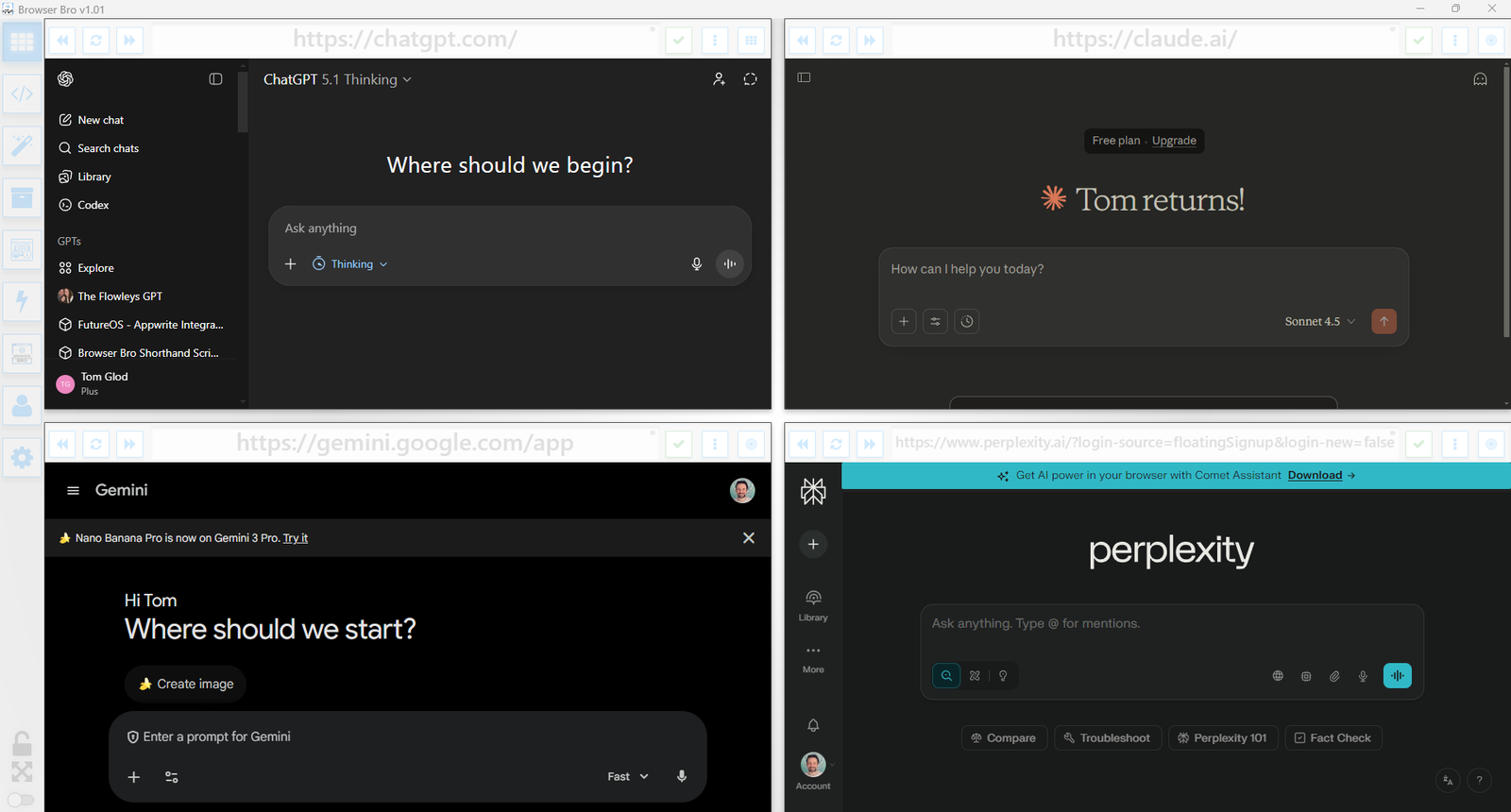
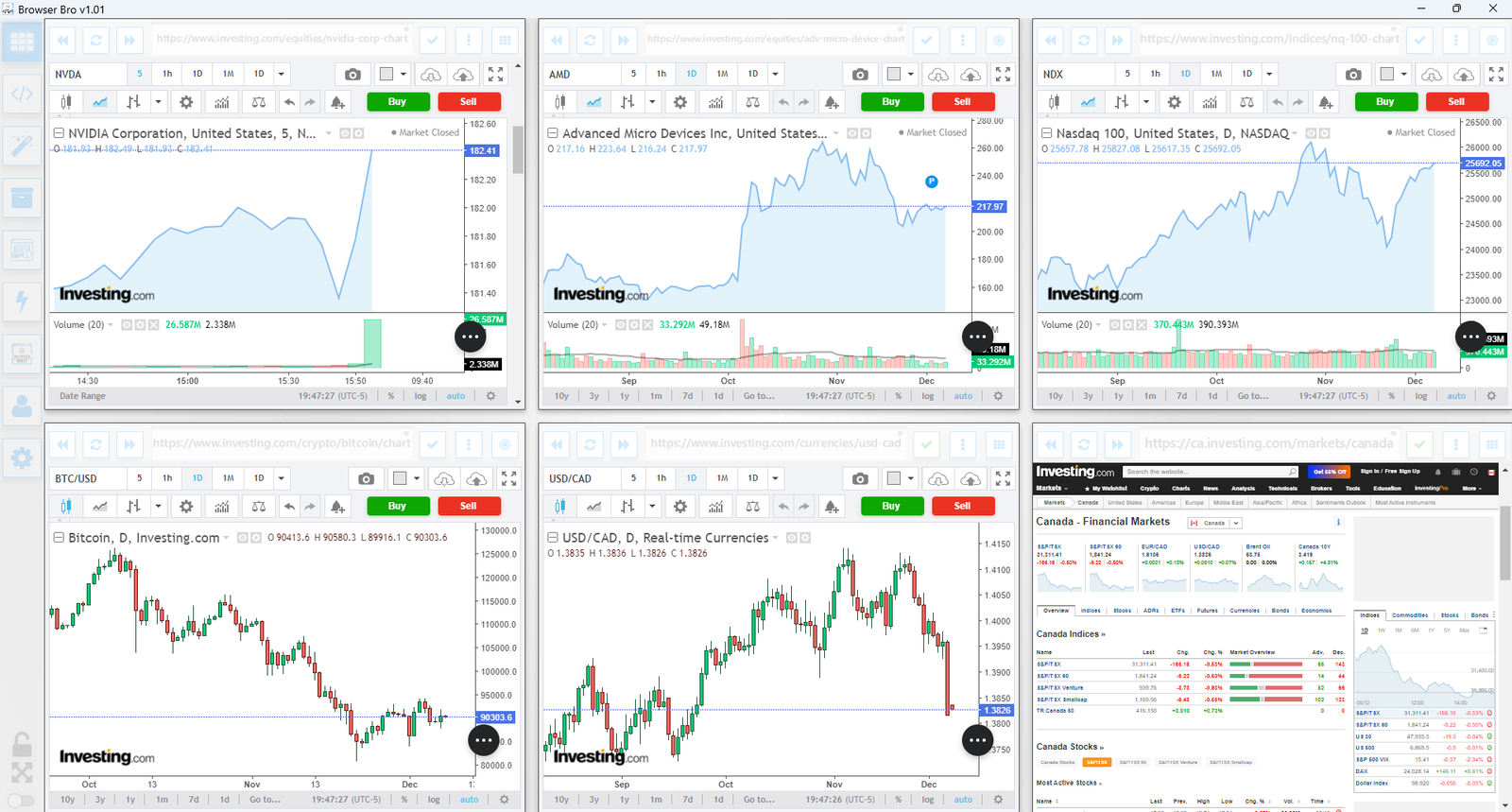
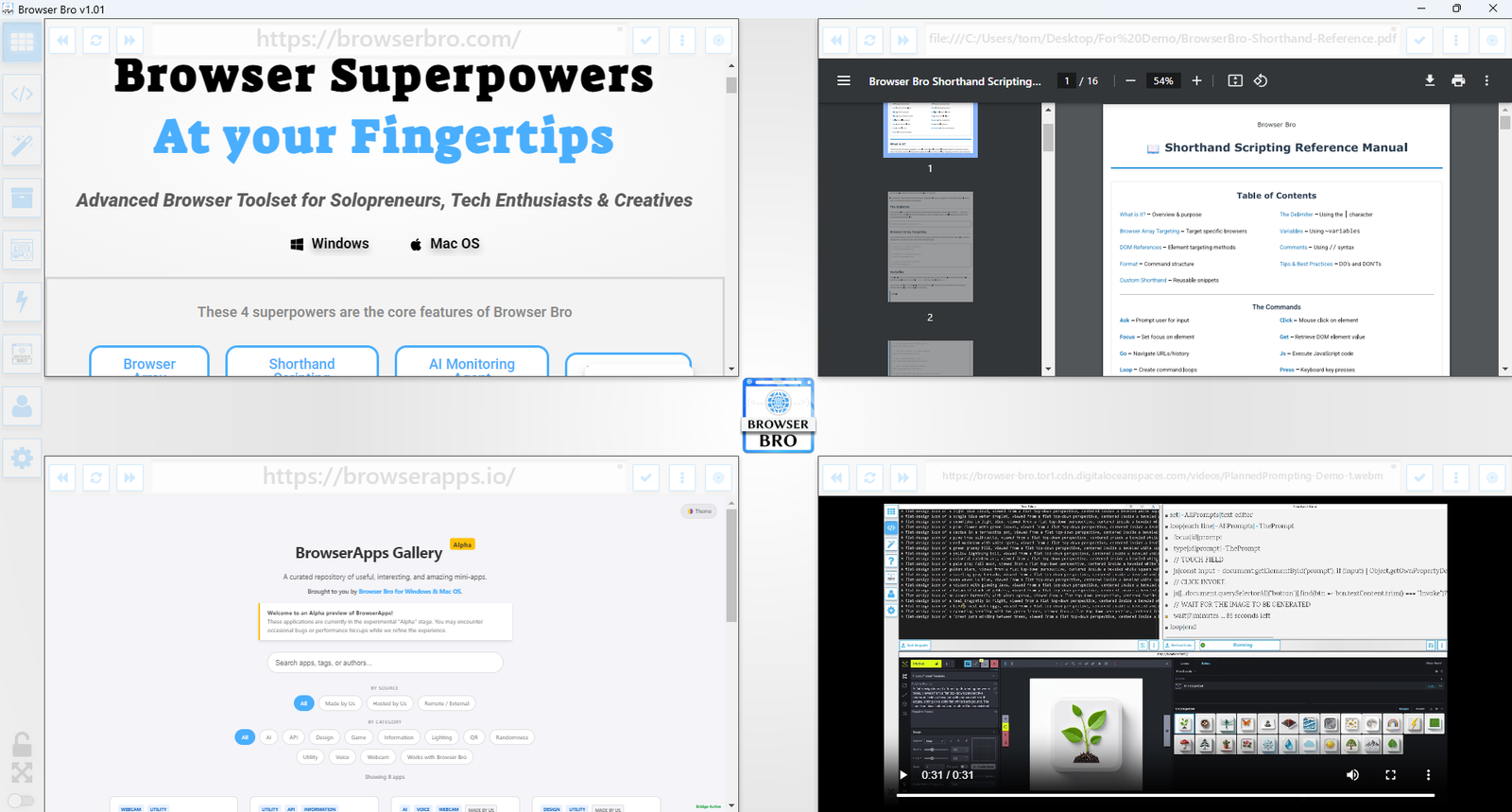
View and manage up to 16 browser instances—all in a single and resizable window. The Browser Array gives you real-time, at-a-glance visibility and makes it effortless to switch between focus and overview modes.

  • ✅ Monitor up to 16 live websites side-by-side
  • ✅ Works great with dashboards, analytics, social feeds, and more
  • ✅ Set per-browser zoom, scroll, and auto-refresh
  • ✅ Focus mode lets you enlarge and control one browser at a time
  • ✅ Present content cleanly from a single or multi-browser view
  • ✅ Easily automate actions in each browser using Shorthand Scripts

How It Works

Open anywhere from 1 to 16 browser panels inside your Browser Bro window.

Each panel can be customized with its own URL, zoom level, scroll position, and refresh interval.

For live presentations or focused work, toggle a browser into focus mode to expand it and interact with it directly.

It’s the perfect tool for creators, analysts, trainers, and developers who need more than one tab—and more control than any browser offers by default.

🔒 Kiosk Mode

Kiosk Mode is perfect for public displays, demos, training environments, or anywhere you need to lock the browsing experience to a specific page—or category of pages.

  • ✅ Prevents navigation away from chosen content
  • ✅ Easy to configure per browser widget
  • ✅ Works with URL prefixes to define “safe zones”
  • ✅ Instantly reloads if a user tries to go off-limits
  • ✅ Ideal for kiosks, classrooms, or training labs

How It Works

Each browser widget in your array can have kiosk mode turned on individually.

You define an Allowed URL Prefix—like https://example.com/training/.

If the user navigates to a page outside of that prefix, Browser Bro refreshes the current page automatically, keeping them inside the allowed range.

No interruptions, no confusion—just a locked-in experience for your audience.

📊 Nail Your Next Presentation

Whether you’re teaching, demoing, pitching, or streaming, Browser Bro turns your screen into a dynamic multi-source stage. Present like a pro with full control over every resource in your array.

  • ✅ Load up to 16 different resources at once—each in its own browser panel
  • ✅ Focus on any resource instantly, or cycle through them one by one
  • ✅ Include any browser-viewable content: websites, dashboards, slides, docs, videos, PDFs
  • ✅ Use kiosk mode to keep the presentation safe and locked-in

Record Your Presentations

With screen recording tools, you can capture your full array layout—including focused transitions, annotations, live interactions, and multi-tab storytelling—all in one seamless take.

Whether you’re making a training video, documenting a workflow, or producing a polished walkthrough, Browser Bro array can help your presentation to stand out.

🎥 Streamers: Browser Array + OBS

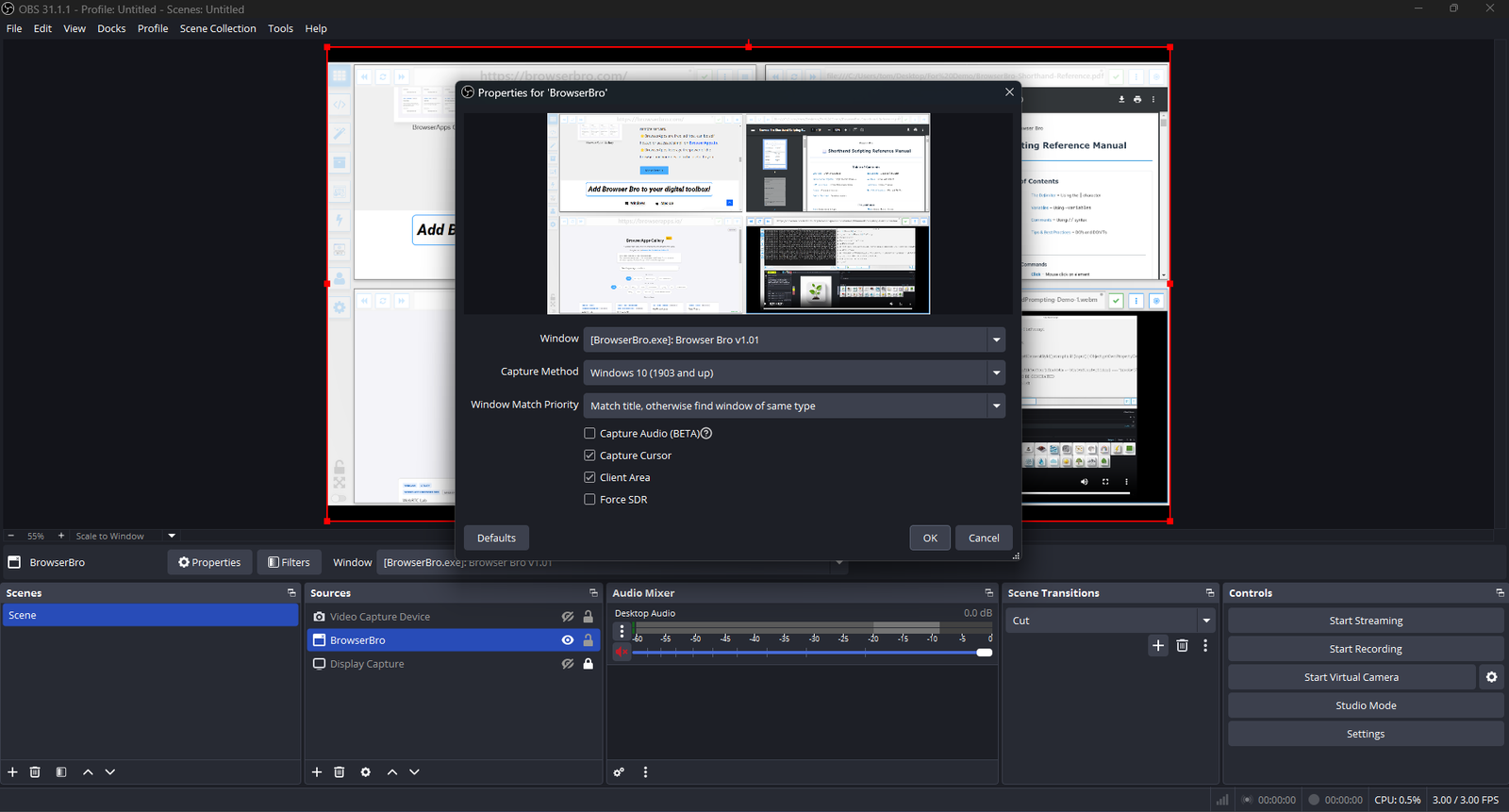
Streamers often need to share portions of multiple live pages at once—chat, alerts, stats, and dashboards. The Browser Array gives you all of them inside a single window. OBS sees that window as one clean source, no extra browser juggling or overlays required.

  • ✅ Combine multiple browsers into one OBS-ready window
  • ✅ Up to 16 live sites displayed in a grid or column view
  • ✅ Individual panel controls: zoom, scroll, and optional auto-refresh
  • ✅ Focus Mode to highlight one panel full-screen without changing your scene setup
  • ✅ Optional branding or layout presets for polished streaming setups (Advanced+)

One Source, Many Browsers

The Browser Array behaves like a single virtual monitor. OBS captures it once, while each embedded browser inside stays fully live and interactive. This means chat windows, dashboards, and web tools all stay synced and active—without adding more sources or slowing down your stream.

Switch layouts, resize panels, or swap URLs in real time. OBS still sees it as one window, keeping your workflow simple and stable.

Common Streaming Uses

  • Chat, alerts, and analytics in one live feed
  • Keeping sponsor pages and timers visible off-camera
  • Browser-based demos or web tutorials without scene switching