planned-prompting

Scroll to Top

🖥️ Browser Array – Monitoring & Presentation

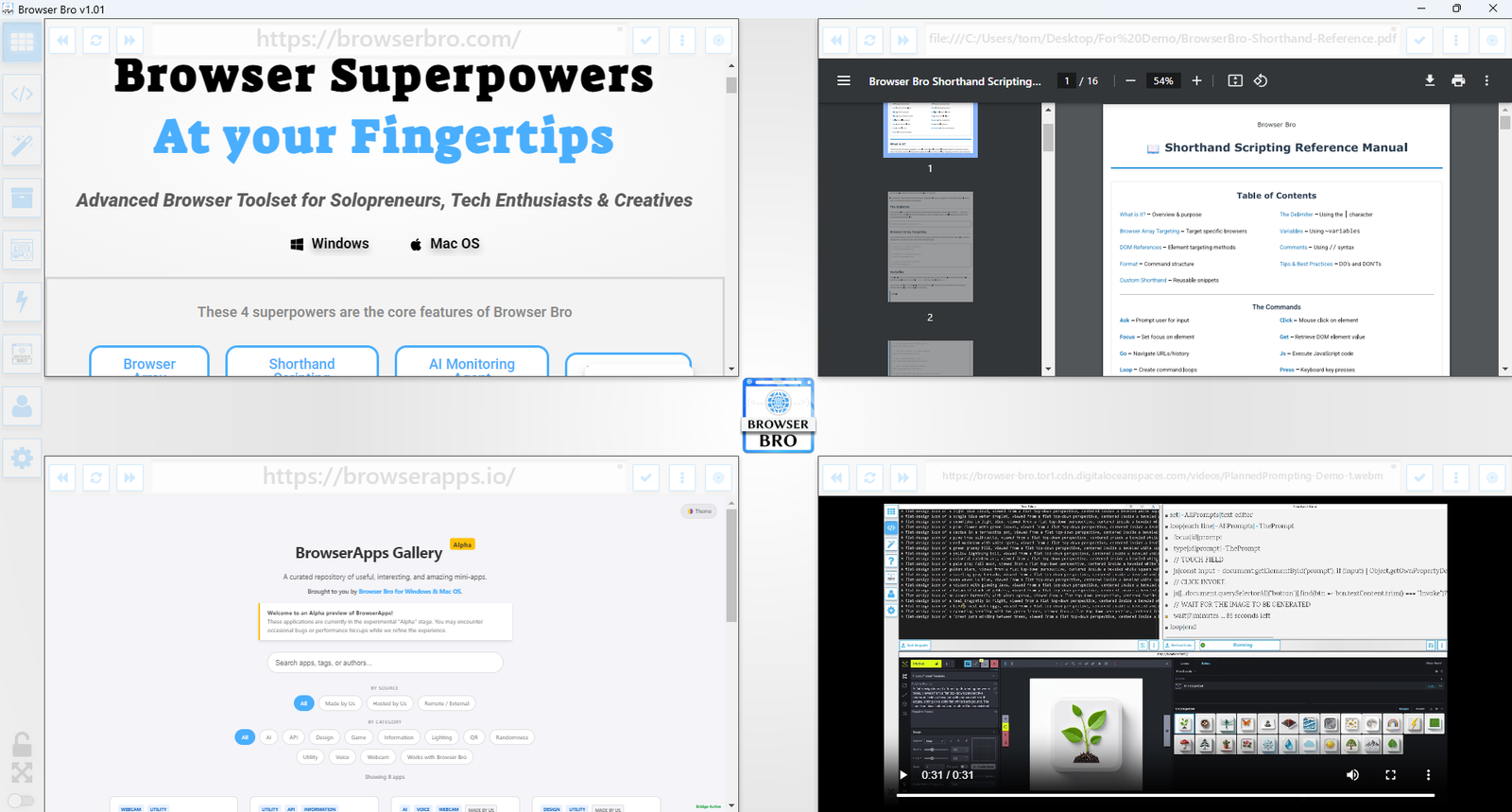
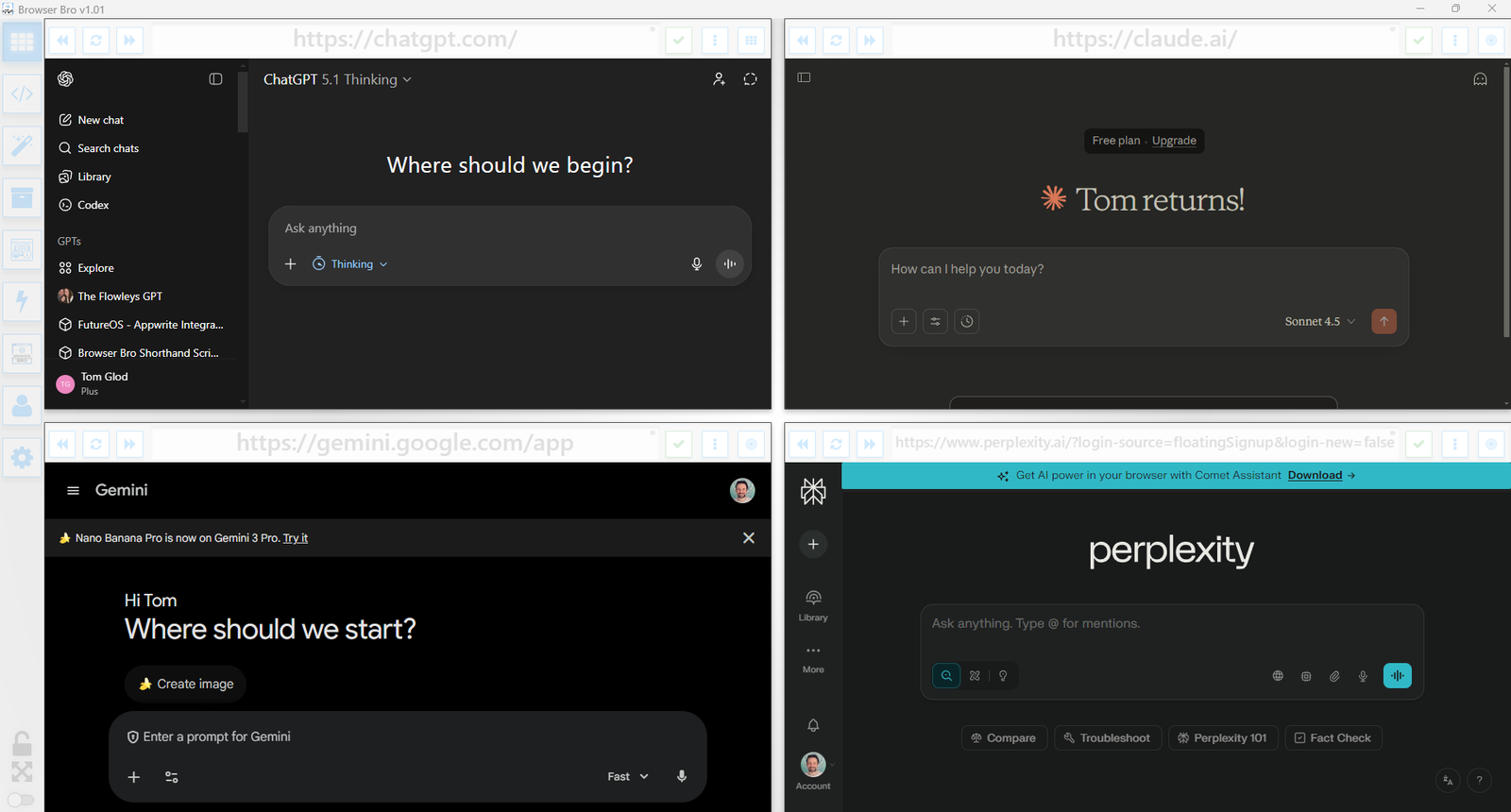
View and manage up to 16 browser instances—all in a single and resizable window. The Browser Array gives you real-time, at-a-glance visibility and makes it effortless to switch between focus and overview modes.

  • ✅ Monitor up to 16 live websites side-by-side
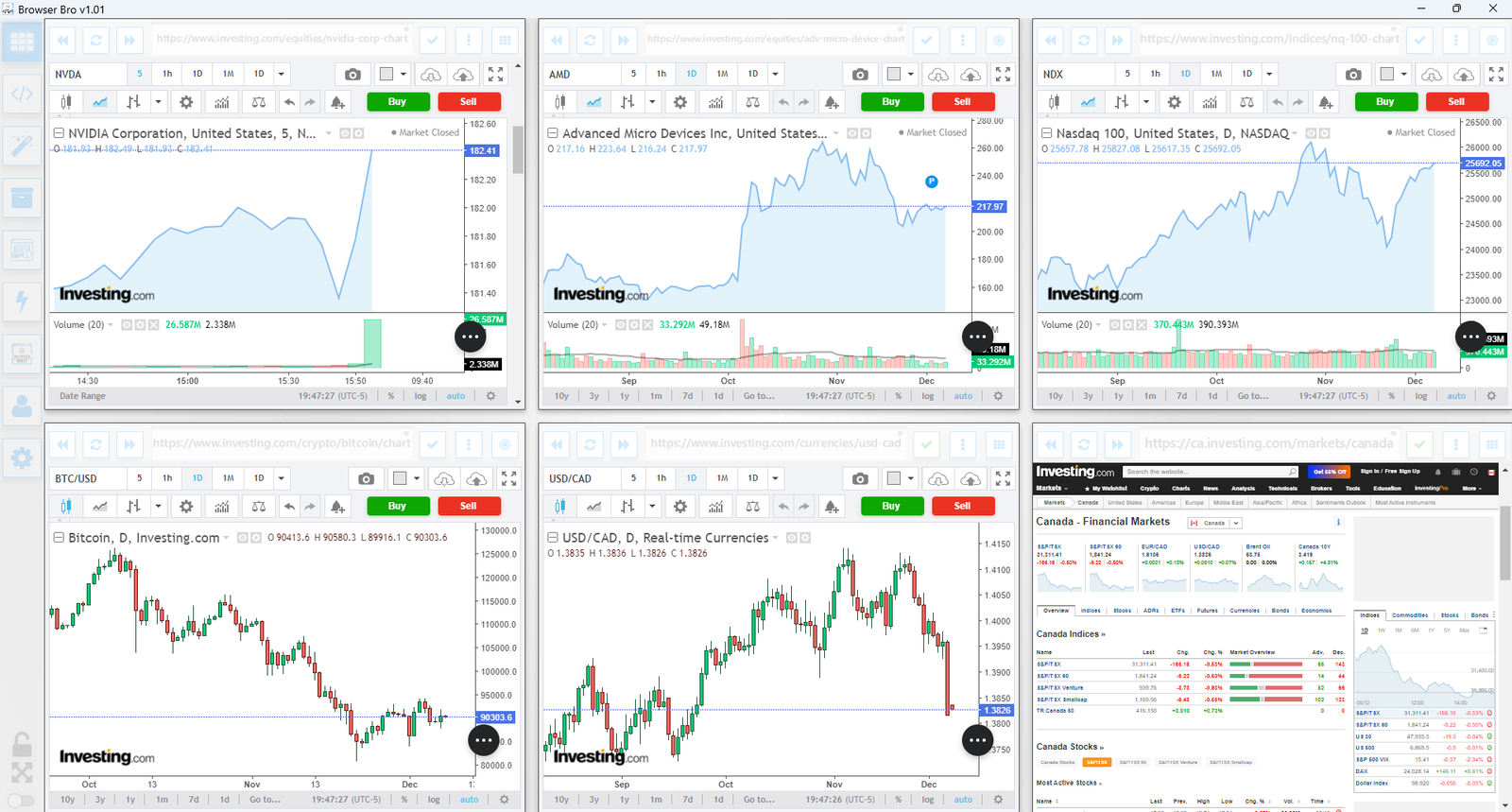
  • ✅ Works great with dashboards, analytics, social feeds, and more
  • ✅ Set per-browser zoom, scroll, and auto-refresh
  • ✅ Focus mode lets you enlarge and control one browser at a time
  • ✅ Present content cleanly from a single or multi-browser view
  • ✅ Easily automate actions in each browser using Shorthand Scripts

How It Works

Open anywhere from 1 to 16 browser panels inside your Browser Bro window.

Each panel can be customized with its own URL, zoom level, scroll position, and refresh interval.

For live presentations or focused work, toggle a browser into focus mode to expand it and interact with it directly.

It’s the perfect tool for creators, analysts, trainers, and developers who need more than one tab—and more control than any browser offers by default.

🔒 Kiosk Mode

Kiosk Mode is perfect for public displays, demos, training environments, or anywhere you need to lock the browsing experience to a specific page—or category of pages.

  • ✅ Prevents navigation away from chosen content
  • ✅ Easy to configure per browser widget
  • ✅ Works with URL prefixes to define “safe zones”
  • ✅ Instantly reloads if a user tries to go off-limits
  • ✅ Ideal for kiosks, classrooms, or training labs

How It Works

Each browser widget in your array can have kiosk mode turned on individually.

You define an Allowed URL Prefix—like https://example.com/training/.

If the user navigates to a page outside of that prefix, Browser Bro refreshes the current page automatically, keeping them inside the allowed range.

No interruptions, no confusion—just a locked-in experience for your audience.

📊 Nail Your Next Presentation

Whether you’re teaching, demoing, pitching, or streaming, Browser Bro turns your screen into a dynamic multi-source stage. Present like a pro with full control over every resource in your array.

  • ✅ Load up to 16 different resources at once—each in its own browser panel
  • ✅ Focus on any resource instantly, or cycle through them one by one
  • ✅ Include any browser-viewable content: websites, dashboards, slides, docs, videos, PDFs
  • ✅ Use kiosk mode to keep the presentation safe and locked-in

Record Your Presentations

With screen recording tools, you can capture your full array layout—including focused transitions, annotations, live interactions, and multi-tab storytelling—all in one seamless take.

Whether you’re making a training video, documenting a workflow, or producing a polished walkthrough, Browser Bro array can help your presentation to stand out.

🎥 Streamers: Browser Array + OBS

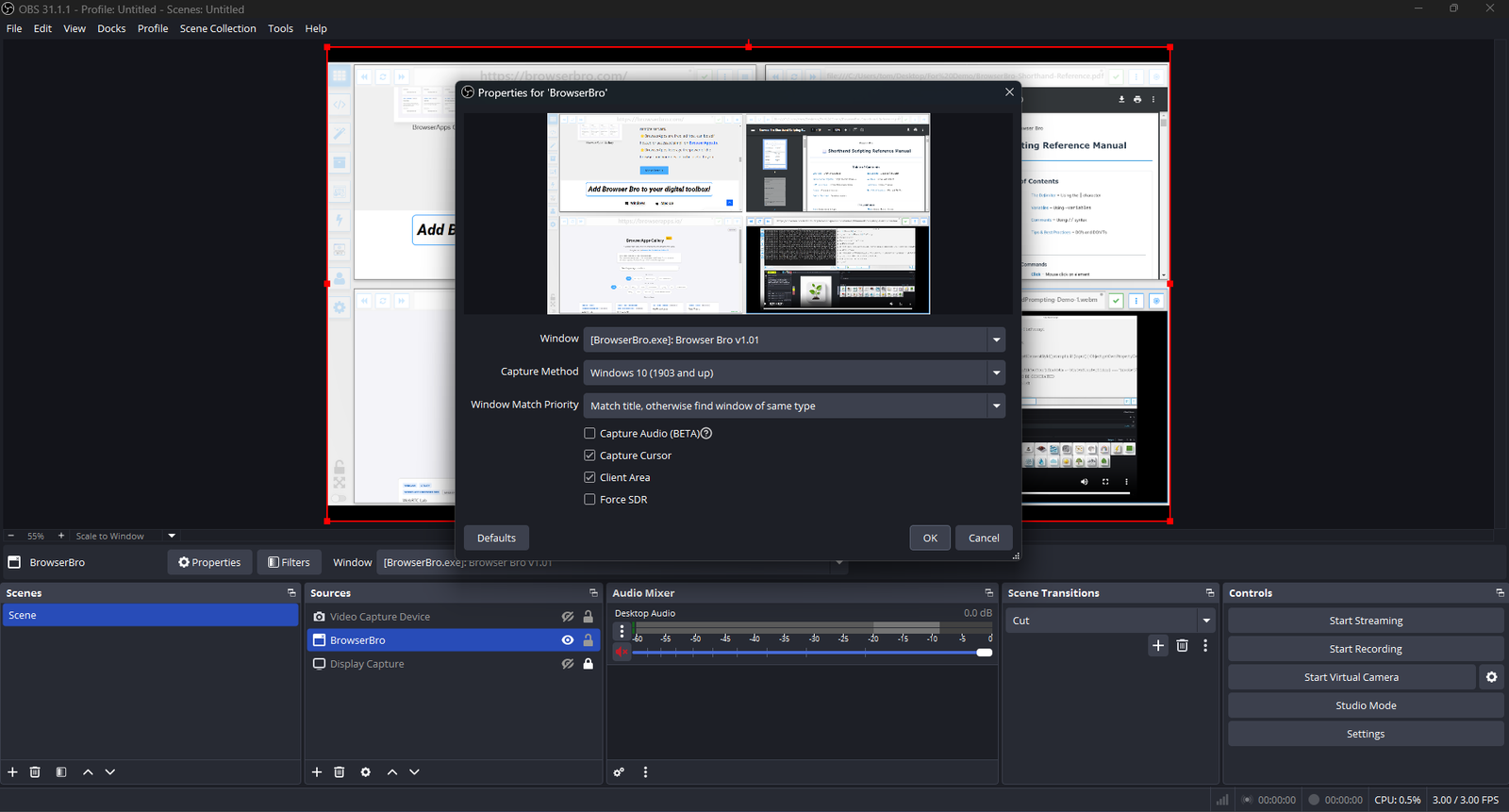
Streamers often need to share portions of multiple live pages at once—chat, alerts, stats, and dashboards. The Browser Array gives you all of them inside a single window. OBS sees that window as one clean source, no extra browser juggling or overlays required.

  • ✅ Combine multiple browsers into one OBS-ready window
  • ✅ Up to 16 live sites displayed in a grid or column view
  • ✅ Individual panel controls: zoom, scroll, and optional auto-refresh
  • ✅ Focus Mode to highlight one panel full-screen without changing your scene setup
  • ✅ Optional branding or layout presets for polished streaming setups (Advanced+)

One Source, Many Browsers

The Browser Array behaves like a single virtual monitor. OBS captures it once, while each embedded browser inside stays fully live and interactive. This means chat windows, dashboards, and web tools all stay synced and active—without adding more sources or slowing down your stream.

Switch layouts, resize panels, or swap URLs in real time. OBS still sees it as one window, keeping your workflow simple and stable.
Common Streaming Uses

  • Chat, alerts, and analytics in one live feed
  • Keeping sponsor pages and timers visible off-camera
  • Browser-based demos or web tutorials without scene switching

🎬 Live Stream Monitoring: ffplay Player Mode

Browser Bro’s ffplay implementation adds a creative Player Mode inside the Browser Array workflow. Its main purpose is monitoring live streams that carry real-time data, video, or audio signals, especially when the browser itself cannot handle the stream because of audio or video codec limitations.

  • ✅ Monitor live camera, broadcast, dashboard, and technical streams inside the Browser Array workflow
  • ✅ Open streams and media formats browsers often reject because of codec or protocol limits
  • ✅ Supports common live-streaming formats such as Youtube Live, RTSP, RTMP, HLS, DASH, SRT, RTP, UDP, and TCP
  • ✅ Keep ffplay paired with a Browser Bro tile for positioning, hotkeys, snapshots, and AI Monitoring Agent input

Built for Monitoring, Not Movie Night

Player Mode is designed for stream monitoring, live data review, and AI-assisted observation. Browser Bro coordinates ffplay so the stream can appear as part of the browser array experience, even when the browser engine cannot decode the media directly.

This makes it especially useful for security cameras, broadcast feeds, technical streams, and other live sources where codec support and low-latency viewing matter.

A Creative Solution With Tradeoffs

This is a creative workaround, not a normal embedded browser video player. Browser Bro controls ffplay under the hood, including launch, alignment, hotkeys, visibility, snapshots, and cleanup.

Because ffplay is being coordinated with the browser interface, there can be annoying quirks around window focus, resizing, positioning, hotkeys, and capture behavior. It is powerful for specific live-monitoring jobs, but it is definitely not meant for everyday video use.